Because of this ...
It's the end of the world as we know it. pic.twitter.com/qXRLLl8Mpu
— Tina Debove Nigro ᯅ (@tina__nigro) August 10, 2015
(I know, quoting your own tweets is bad)
I had to format my disk, and reinstall Windows 10. It was amazing, it took 10 minutes and another 10 minutes to install the Boot Camp drivers.
Then I launched Edge, opened up Deezer in my favorit ... What???
Yeah, that's how I realized Edge doesn't sync your favorites (Coming soon ©). Welcome in 2010, guys. I recovered most of them as I like to share my reading list with friends.
How to : sync your favorites with OneDrive
1 - Get to the folder where Edge saves your favorites
Copy this path
C:\\Users\\\[UserName\]\\AppData\\Local\\Packages\\Microsoft.MicrosoftEdge\_8wekyb3d8bbwe\\AC\\MicrosoftEdge\\User\\Default\\Favorites\\
2 - Open OneDrive.com
And create a folder called Favorites (or whatever)
3 - Open OneDrive settings in the taskbar (right click)
Go to Settings > Choose folders tab > Choose folders button > Add the previously created folder
4 - Launch an elevated cmd
And type
mklink /j \[OneDrive Favorites Path\] \[Edge Favorites Path\]
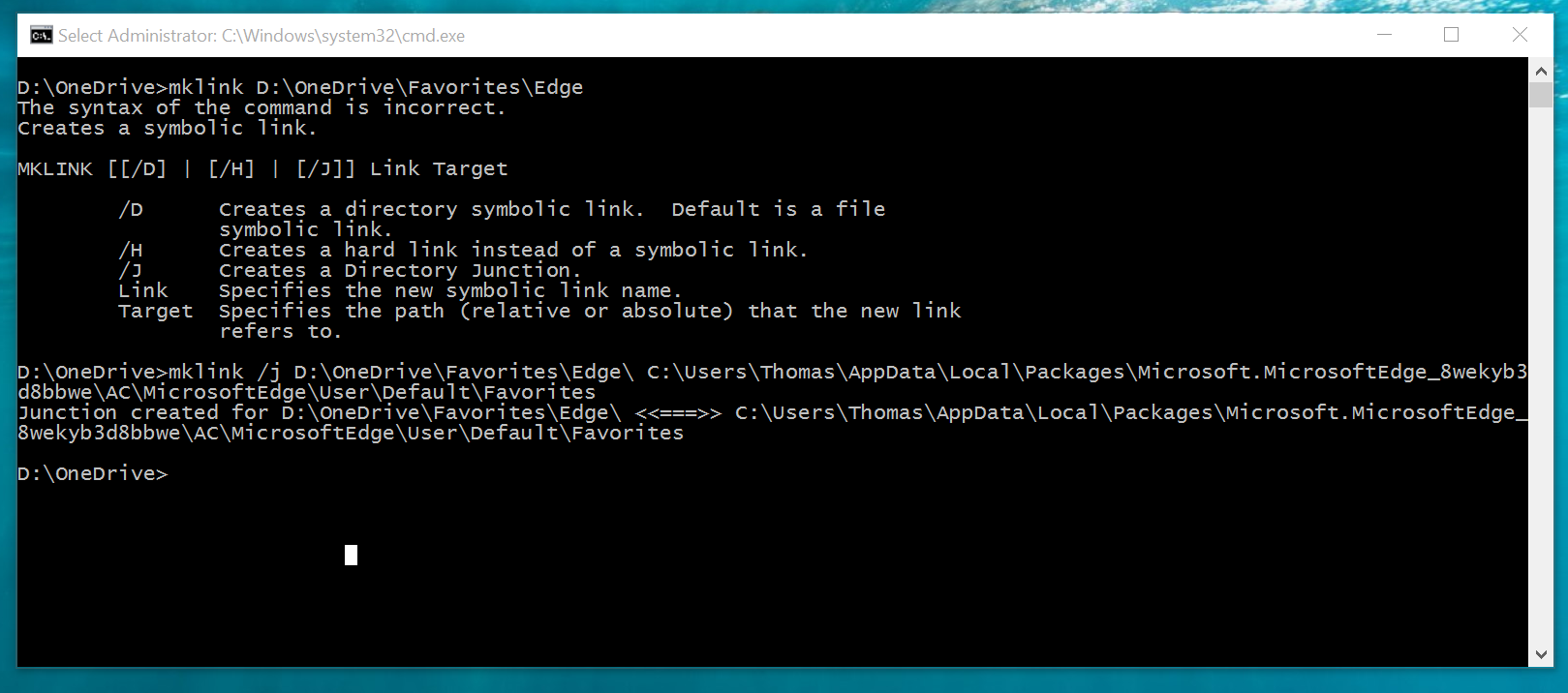
5 - Profit
Never lose your Favorites again.